Software
AutoCAD & Plant 3D
2D detail engineering and 3D plant layouts in AutoCAD and Plant 3D.
Quick answer
Structural Engineering Services supports AutoCAD & Plant 3D projects worldwide with autocad drafting services, piping layout & routing, fabrication & shop drawings, engineering design services — delivered by senior engineers on licensed software to international codes.
- Publisher
- Autodesk
- Discipline
- 2D detail engineering & plant layout
- Licensing
- Commercial seats, in-house only
Capability at a glance
Our AutoCAD & Plant 3D bench strength
Every figure below is what we run in production — licensed seats, supported versions and the scale we deliver at, so you can size us against your package before you enquire.
25
Licensed seats
AutoCAD, AutoCAD Plant 3D and P&ID
2018–2025
Versions supported
Delivered in any DWG format back to 2013
1,200 / mo
Sheets produced
Across detailing, plant and as-built work
Your standard
Drawing conventions
Your title block, layers and plot styles, not ours
24–48 h
Mark-up turnaround
On revisions to drawings already in our system
Deliverables
What we produce in AutoCAD & Plant 3D
Most projects still live or die on a drawing sheet. We produce AutoCAD and Plant 3D documentation that follows your layer standard, your title block and your revision rules — not ours.
Scope your deliverablesGA, layout & plot plans
General arrangements, plot plans, equipment layouts and setting-out drawings with consistent scales, grids and dimensioning.
Fabrication & detail drawings
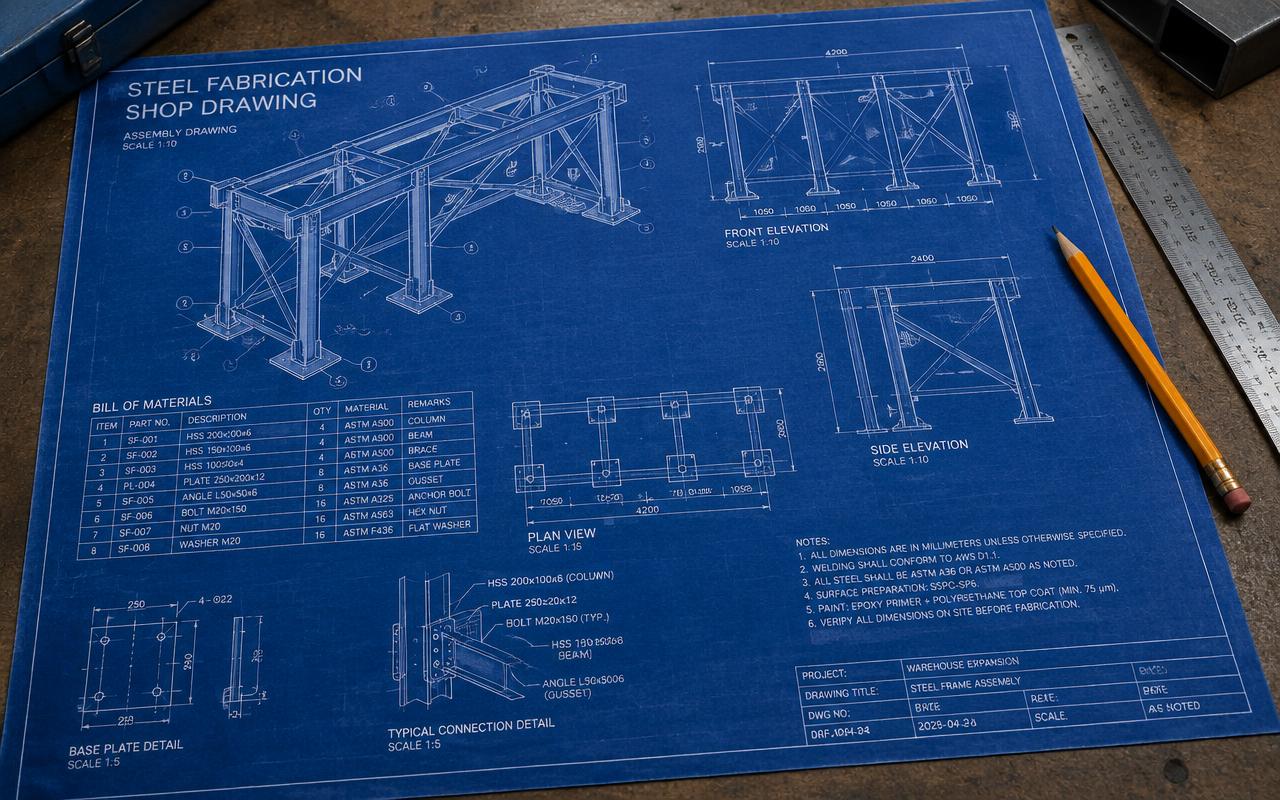
Part, assembly and detail sheets with sections, weld symbols and annotation to ISO 128 or ASME Y14 conventions.
Plant 3D model & isometrics
Spec-driven 3D piping in Plant 3D with a project database, automatic ISOGEN isometrics and ortho drawings.
P&ID development
AutoCAD P&ID schematics with tag consistency, line-number validation and data-linked reports feeding the line list.
As-built & redraw packages
Scanned, PDF or legacy drawings rebuilt as clean, layered, scalable DWGs with site mark-ups incorporated.
Standards, blocks & sheet sets
Title blocks, dynamic blocks, layer standards, plot styles and sheet-set setup so your drawing register stays consistent.
Interoperability
AutoCAD & Plant 3D file formats we work with
DWG is the lingua franca of engineering documentation. Everything on this site can read or write it, which is exactly why drawing standards and layer discipline matter so much.
| Format | Direction | How we use it |
|---|---|---|
| DWG / DXF | Both ways | Native exchange with every discipline; delivered in the DWG version your downstream users need. |
| Both ways | PDF underlay and geometry import for redraws; issued PDF sets with correct plot styles and line weights. | |
| PCF (Plant 3D) | We deliver | Isometric and stress exports from the Plant 3D model into ISOGEN and CAESAR II. |
| NWC | We deliver | Plant 3D and 3D DWG published to Navisworks for federated review. |
| Point cloud (RCP / RCS) | We import | Laser-scan referencing for brownfield as-builts and retrofit layouts. |
| Raster scans (TIFF / PDF) | We import | Legacy drawing archives converted to clean, editable, correctly scaled DWG. |
| Excel / CSV data links | Both ways | Live-linked schedules, line lists and bills of material embedded in the drawing. |
Working in a format that is not listed? Send a sample file with your enquiry — we confirm every exchange route before kick-off rather than discovering it at issue.
How we work
Our AutoCAD & Plant 3D workflow
Each stage has a defined input, output and owner, which is what keeps multi-phase packages predictable across time zones.
- 1
Standards & template setup
Title block, layer standard, text and dimension styles, plot configuration and the drawing register are fixed before the first sheet.
- 2
Input review
Mark-ups, vendor prints, survey data and reference models are checked for completeness and conflicts, with queries raised as a single RFI list.
- 3
Drafting or modelling
2D documentation or Plant 3D modelling produced to the agreed sheet schedule, with cross-references and xrefs managed centrally.
- 4
Annotation & dimensioning
Dimensions, notes, callouts, weld and surface symbols applied to the project convention and checked for scale integrity.
- 5
Drawing QA check
Quality gateA checklist pass on layers, scale, title block data, revision clouds, xref paths, plot preview and drawing-register match before any sheet is issued.
- 6
Client review cycle
Comment incorporation tracked sheet by sheet with revision clouds, delta tags and an updated revision history block.
- 7
Issue & archive
PDF and DWG issued with a transmittal, plus a bound, purged and audited archive set at project close.
One stage is a formal quality gate — work does not move forward until a senior engineer signs it off, which is why revisions after issue stay rare.
Choosing a platform
When AutoCAD & Plant 3D is the right choice
We run all twelve packages in-house, so we have no reason to push you towards one. Use this to check that the platform matches the deliverable you actually need.
Choose AutoCAD & Plant 3D when
- The deliverable is 2D documentation — GAs, details, schematics, as-builts or a drawing-register clean-up.
- Fast turnaround on mark-ups, revisions and small modification packages where modelling is overkill.
- Everyone in the chain must be able to open, edit and plot the file without specialist software.
- A mid-size plant scope where Plant 3D gives spec-driven piping inside the Autodesk ecosystem you already own.
We would use something else when
Still unsure? Send the drawings and the deliverable you need — we will tell you which platform we would run it on, and why, before quoting.
Relevant services
Our AutoCAD & Plant 3D services
AutoCAD Drafting Services
Producing clean, standards-compliant 2D engineering drawings in AutoCAD and BricsCAD.
Explore
Piping Layout & Routing
Optimising plot plans, equipment layout and pipe routing for safety, access and cost.
ExploreFabrication & Shop Drawings
Preparing single-part, assembly and GA drawings with full dimensions, weld symbols and bolt data.
Explore
Engineering Design Services
Providing multidisciplinary engineering design support as an extension of your team.
ExploreDirectory
AutoCAD & Plant 3D work by market
Pick the market your project is built in. Every page sets out the governing codes, units and delivery window we work to there.
8 markets
Most requested markets
8
Start your project
Send your drawings. Get a quote in 24 hours.
Free, no-obligation proposal from a senior engineer.